Automotive Luxury
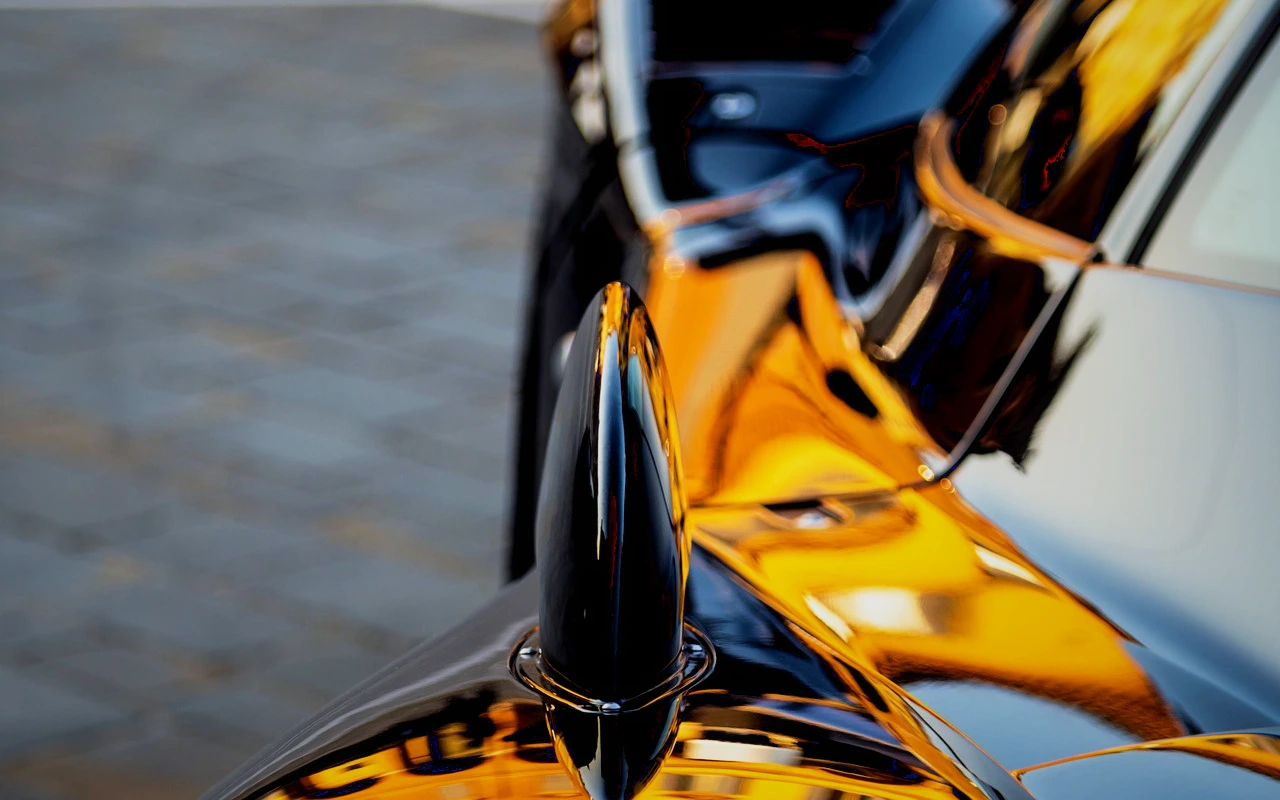
Metallic detail, elegant reflections, and dramatic controlled shadows.
Visual character
Deep metallic commercial contrast
Color character
The CineLook Automotive Luxury transform is built from grade parameters rather than from a channel matrix or a curve remap, so its character comes from how the individual controls combine. Contrast rises 29 points, and both ends of the scale are pulled back: highlights drop 19 and shadows drop 18. What remains is a dense, separated tonal range in which specular edges stay controlled and the deep values settle into a firm floor instead of lifting. Exposure is effectively untouched at minus 0.03, a change too small to register as a brightness shift. Temperature moves 5 points toward cool, and no tint offset is applied. Saturation gains only 4 points while vibrance gains 22, so muted paint and metal read cleanly without dragging stronger colors much further from where they began. Highlight rolloff at 27 softens the shoulder, grain at 3 leaves a light texture rather than a heavy one, bloom at 10 adds a restrained halo, and vignette at 20 darkens the frame edges.
When to choose it
Reach for this Look when the frame is built around a surface that catches light: brushed metal, polished trim, glass, lacquered bodywork, or a product edge that has to stay legible against a dark surround. Raised contrast paired with pulled-down highlights holds specular detail in place instead of letting it clip, which suits lighting that is placed rather than accidental. Because shadows drop 18 points, the transform wants a scene with real dark areas to work in, such as a black sweep, an unlit interior or a night exterior with pooled light, rather than a flat, evenly filled set where the pull-down has little to act on. It also favors subjects with modest native color, since saturation moves only 4 points while vibrance moves 22. Saturated wardrobe or paint will not be pushed much further, and neutrals show the separation most clearly.
Working with it in Studio
In CineLook Studio the transform arrives as a starting balance, not a fixed result; every control behind it stays adjustable. Highlights is the first useful move: push it further down to protect a reflection still clipping, or ease it back toward zero for more specular energy. Shadows at minus 18 can be relaxed when the dark end needs detail, or deepened when the surround should go black. Watch Temperature on mixed light, since the transform already sits 5 points cool; a small warm correction keeps neutral paint neutral. Vibrance carries most of the color work, so adjust it ahead of Saturation. Vignette, Bloom and Film Grain finish the image inside the app but do not travel in a .cube export, which carries Exposure, Contrast, Highlights, Shadows, Temperature, Tint, Saturation, Vibrance and Highlight Rolloff.
How it compares
Luxury Commercial is the softer sibling: contrast 24 against 29, shadows pulled 12 points rather than 18, vignette 14 rather than 20. It lifts exposure 0.05 where this Look sits at minus 0.03, and adds 2 points of tint and 8 of saturation against 4, so the frame opens up and carries more color. Choose it when the product should read polished and airy rather than carved. Nike Campaign goes harder: contrast 31, shadows 24, with grain at 8 against 3, but cuts highlights only 8 points against 19 here and carries no temperature shift or bloom. Pick it for grit and movement rather than reflections.
Where it fits in a grade
Automotive Luxury carries no film stage, so it functions as a standalone creative look rather than a camera negative or a finishing print. In practice that places it late: correct the image and settle exposure and white balance first, then apply the transform as the final creative statement, because its contrast and cool balance are meant to sit on top of a clean frame rather than be graded around. If a shot still needs technical work, pair it with a neutral base and keep this Look as the last layer, rather than stacking a second strong contrast treatment over it. Its restrained color response leaves room for that base to do the correction without the two pulling against each other.
Transform parameters
Against a neutral starting point the CineLook Automotive Luxury transform moves exposure -0.03, contrast +29, highlights -19, shadows -18, temperature -5, saturation +4, vibrance +22, film grain +3, bloom +10, vignette +20 and highlight rolloff +27.