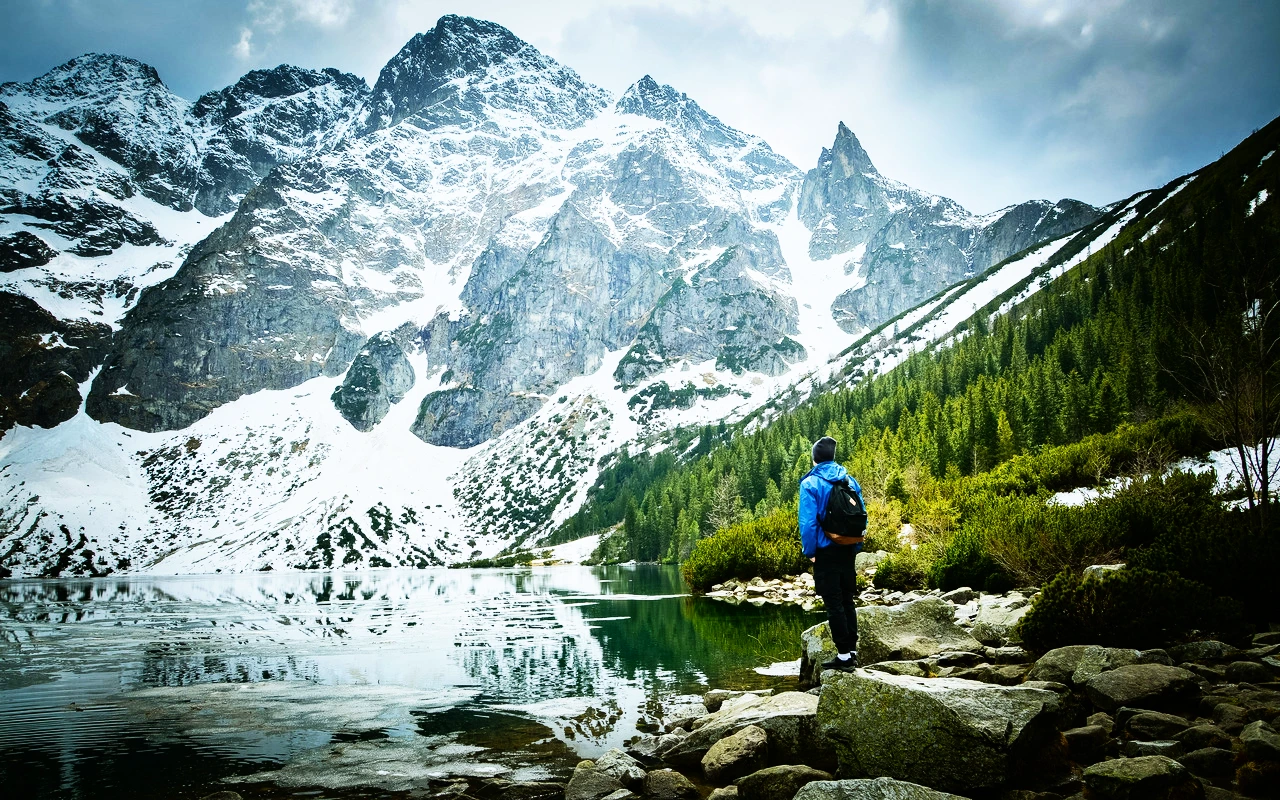
CineLook Reversal Vivid
Vivid daylight reversal character with deep blacks, strong red-green-blue separation and compact highlight density.

Visual character
Vivid RGB separation with compact highlights
Best for
- Natural landscapes
- Travel imagery
- Vivid advertising
Lighting conditions
- Daylight
- Bright controlled light
Color character
The CineLook Reversal Vivid transform produces a high-contrast daylight image with deep, dense blacks and highlights that keep their body instead of going airy. Its curve pulls the shadow point down 0.07, lifts the midtone 0.015, and raises the highlight point 0.098, so both ends travel farther than the middle: shadows settle into weight, brights open up, and midtones hold near where they start. That asymmetry is what the eye reads as contrast, since the frame gains separation at the extremes while the middle stays put. Red, green, and blue stay strongly separated, which keeps saturated subjects in their own hue rather than sliding toward a common wash. Skin tones read neutral, with no warm or cool lean. Grain is fine, a faint tooth across smooth gradients rather than a visible weave. Because the highlight response is dense, bright areas gain presence as they brighten, and the largest single move in the curve still resolves as compact. No channel-mixing matrix sits alongside the curve; the tonal shift comes from the curve itself.
When to choose it
Reach for the CineLook Reversal Vivid transform when a frame is already well lit and wants color with edges. Natural landscapes are its home ground: foliage, sky, and water separate cleanly once red, green, and blue hold their own, and the dense shadow response gives foreground rock or shade real weight. Travel imagery gains from the same trait, because mixed street color stays legible under daylight instead of muddling into one tone. Vivid advertising work is the third fit, product and graphic frames where the brief asks for saturation and the highlights can take a firm hand. Daylight and bright controlled light are the conditions it was built around; its native balance is daylight, so tungsten interiors or flat overcast work against the design. Frames that need open shadows and quiet, low-chroma calm fall outside its intent.
Working with it in Studio
Apply the transform, then set Exposure first: the curve already commits to high contrast, so a small move places the midtones. Contrast and Highlights steer the top end: pull Highlights down when the dense response closes detail you want, and use Highlight Rolloff to ease the shoulder without flattening the RGB separation. Shadows take a modest lift well, since the 0.07 drop leaves room before blacks turn gray. Temperature and Tint correct a daylight balance that drifted; Saturation and Vibrance trim color back toward neutral when a scene is already loud. Film Grain adds texture over the fine native grain, Bloom and Vignette stay in the app, and the .cube export carries Exposure, Contrast, Highlights, Shadows, Temperature, Tint, Saturation, Vibrance and Highlight Rolloff but not those three finishing effects.
How it compares
Both siblings run high contrast, so the split sits at the top end. The CineLook Reversal 100D transform is a daylight reversal source with fine grain and dense shadows, but its highlights are hard where Reversal Vivid's are dense: 100D cuts brights off, while Vivid compacts them. Take 100D when neutral grays matter more than vivid separation. The CineLook Eterna Bleach transform goes another way, a creative-process look on a neutral balance, reduced chroma, medium grain, firm cool-toned density. It keeps dense highlights and shadows but gives up RGB separation and finer grain. Choose Eterna Bleach for muted, cool frames; keep Reversal Vivid for saturated daylight.
Where it fits in a grade
Reversal Vivid carries a reversal-source role, which means it stands in for the captured image itself rather than a camera negative that expects a print stage later. Apply it at the front of the chain, onto the ungraded image, and let it serve as the baseline the rest of the grade sits on. Exposure and white balance belong after it, since its high-contrast daylight response and dense shadow end leave little room for a second structural move. Treat it as the final color statement for saturated daylight work, and pair it with a neutral base that has no competing color, so the fine grain and neutral skin tones stay readable. A second look stacked on top tends to collapse the separation.
Transform parameters
The CineLook CineLook Reversal Vivid transform leaves every adjustment slider at its neutral value and carries the look in its colour transform instead. Its channel matrix keeps the 1.060 / 1.075 / 1.070 diagonal and mixes at most 0.052 of one channel into another, so hues stay close to their source while crosstalk stays controlled. The luma curve sits 0.098 above the linear ramp at three-quarter tone, which is where the shoulder starts to bend.